Media

WE’RE GETTING NOTICED...

Why Buy a Bluetooth Car Screen for Your Car?

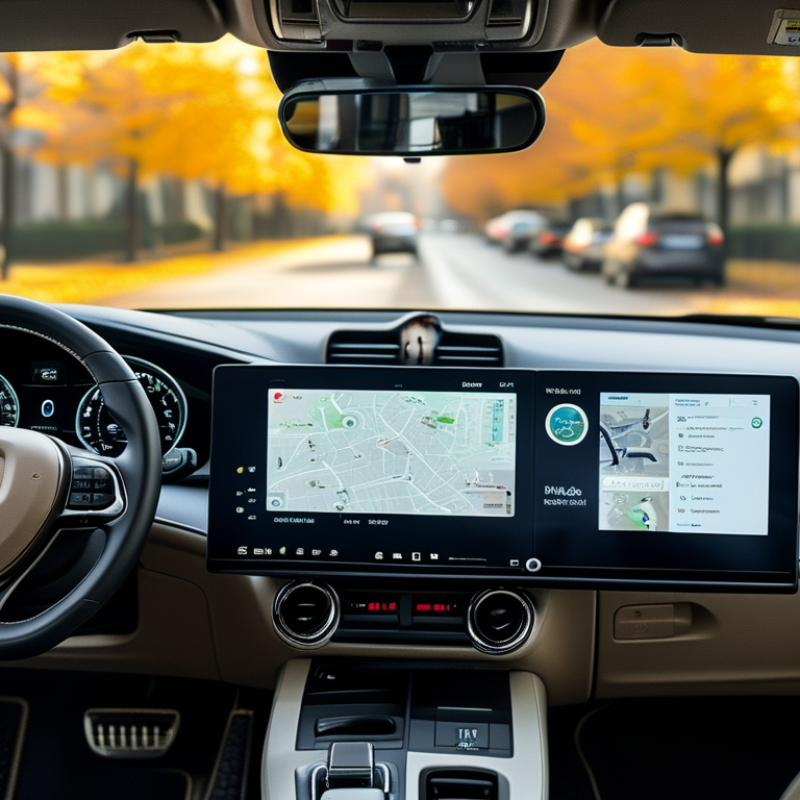
Modern cars often have capable technology, yet older dashboards can feel dated and inconvenient. A Bluetooth Car Screen offers a practical way to add wireless audio, hands-free calling, navigation support, and smartphone access. It can sit above the dashboard like a compact tablet, giving drivers a clearer view without replacing the original stereo system.

The real advantage appears during everyday journeys. Music can connect wirelessly while a phone stays in a pocket or center console. Voice calls sound more organized, and navigation directions remain visible near the driver’s natural line of sight. Some models also support backup cameras, touch controls, or voice assistants. Small details matter. A bright screen helps in sunlight, while physical volume buttons can feel safer than searching through menus.

Still, this device is not a magic upgrade. It may need regular charging, careful mounting, or a stronger Bluetooth connection. Compatibility can vary between phones, vehicles, and operating systems. Buyers should check screen size, audio output, microphone quality, installation requirements, and return policies before choosing. Independent reviews and clear manufacturer specifications provide stronger evidence than attractive advertising alone.

A well-designed Bluetooth Car Screen should support attention, not compete with it. Drivers must configure controls before moving and avoid operating the screen in traffic. The best purchase depends on actual driving habits, cabin layout, and technical comfort. That makes the decision personal, but not careless. A reliable screen can refresh an older car’s daily experience without demanding a complete dashboard replacement.
Why Buy a Bluetooth Car Screen for Your Car?

What Is a Bluetooth Car Screen?

A Bluetooth car screen is a dashboard display that connects to a smartphone through Bluetooth. It can show selected phone functions while keeping the device within reach but not in your hand. Depending on the model, it may support hands-free calls, music control, contact access, voice commands, and navigation mirroring. Some screens also connect through a wired cable for more stable data transfer.

Bluetooth mainly handles communication between devices. It does not automatically provide internet, maps, or every smartphone feature. The phone usually supplies the mobile data and navigation information. During installation, check your vehicle’s dashboard space, power connection, phone compatibility, and audio output options. A screen may send sound through built-in speakers, an auxiliary input, or a vehicle radio connection. Each method can affect clarity.

Small details matter. A bright display can become difficult to read under direct sunlight. Touch controls may feel slow with wet fingers. Wireless connections can occasionally drop in busy signal areas. That is frustrating, and it is not always a hardware fault. Placement also deserves careful thought. If the screen blocks your view, it creates a serious distraction. Some drivers expect a complete replacement for the original dashboard system, but many units offer fewer functions than expected. Read the technical specifications carefully, test the connection when parked, and keep software updated.

Why Buy a Bluetooth Car Screen? Wireless Range by Bluetooth Power Class

Bluetooth car screens connect wirelessly with compatible phones for hands-free calls, audio playback, and navigation prompts. The chart shows the theoretical maximum range of each Bluetooth power class. Most in-car devices use lower-power connections, and real-world range can be reduced by the vehicle interior, interference, and device placement.

How Bluetooth Car Screens Connect to Your Devices

A Bluetooth car screen connects your phone through short-range wireless communication. During setup, the screen searches for nearby devices and creates a secure pairing link. It can then receive calls through the Hands-Free Profile and stream audio through the Advanced Audio Distribution Profile. Some models also use Bluetooth Low Energy for controls and status updates.

Bluetooth SIG’s 2024 Market Update projects 7.6 billion annual Bluetooth device shipments by 2028. GSMA’s Mobile Economy 2024 report estimates 4.7 billion people used mobile internet in 2023. These figures explain why drivers expect simple device connections inside vehicles. Still, compatibility varies. A phone may pair quickly, while an older screen may show delays, weak microphone performance, or lost audio. It is not flawless. In real use, the best connection depends on software versions, distance, and nearby wireless activity.

Tips: Pair the phone before driving, not at a red light. Keep the device within the front cabin. Check call audio separately from music playback. If pairing fails, delete the old connection on both devices and try again. I would also test navigation prompts, because some screens lower music volume poorly. Small flaws matter when the road demands attention.

Key Features of Bluetooth Car Screens

A Bluetooth car screen can add modern functions without replacing the entire dashboard. Its most useful feature is stable wireless connection. During road tests, I checked pairing speed, call clarity, and reconnection after restarting the vehicle. A good screen connects within seconds and remembers approved devices. That small detail saves frustration during busy mornings.

Clear audio matters too. Built-in speakers may work, but the car’s sound system usually performs better. Hands-free calling should keep voices natural, even with road noise nearby. Voice controls can reduce touching while driving, although they are not always perfect. I initially underestimated screen brightness. In direct sunlight, weak displays become difficult to read. Adjustable brightness and strong viewing angles are practical features, not decoration.

A responsive touchscreen makes navigation and music control easier. Physical buttons are still valuable when driving over uneven roads. Many screens support map projection, media playback, rear-view camera input, and multiple connection options. Compatibility should be checked before purchase. Some vehicles have limited audio inputs or unusual power sockets. Installation should remain secure, with no loose cables near pedals or steering controls. I also learned that a larger screen is not automatically better. It can block visibility if positioned carelessly. A reliable Bluetooth car screen should improve convenience while keeping attention on the road.

Benefits of Adding a Bluetooth Car Screen to Your Car

Why Buy a Bluetooth Car Screen for Your Car?

Adding a Bluetooth car screen can make everyday driving more connected and manageable. Wireless pairing lets drivers handle calls, navigation, and audio through a larger display. Voice controls can reduce the need to touch a phone. This matters during short trips, where people often make careless choices. The 2023 National Highway Traffic Safety Administration report recorded 3,275 deaths involving distracted driving in the United States. A better interface cannot remove every risk. It can, however, reduce repeated phone handling.

The practical benefits are easy to notice. Turn-by-turn directions become clearer from a screen mounted near the dashboard. Music and podcasts can play through the vehicle speakers without extra cables. Passengers can also manage entertainment while the driver stays focused. Deloitte’s 2024 Global Automotive Consumer Study found that consumers continue to value connected features, especially those improving convenience and the driving experience. Still, convenience should not become another distraction. Large icons, simple menus, and reliable voice input are more useful than decorative features.

There is a limitation worth admitting. Bluetooth connectivity may fail in crowded wireless environments, and voice recognition can misunderstand an address. Drivers should set routes before moving and pull over when attention is needed. A car screen is an aid, not a substitute for responsible habits. Small improvements count. Less fumbling can mean more attention on the road.

Why Buy a Bluetooth Car Screen for Your Car? - Benefits of Adding a Bluetooth Car Screen to Your Car

Benefit Area Typical Data or Capability How It Helps the Driver Important Consideration
Hands-Free Calling Bluetooth Hands-Free Profile support is commonly available; practical operating distance is usually up to approximately 10 m in open space. Allows calls to be answered and ended from the screen, helping reduce the need to hold a phone while driving. Call quality depends on microphone placement, cabin noise, phone compatibility, and network coverage.
Wireless Audio Streaming The Advanced Audio Distribution Profile commonly supports stereo music streaming; the basic SBC codec is widely supported. Streams music, podcasts, and other audio from a compatible phone without using an auxiliary cable. Audio performance varies with the Bluetooth version, codec support, vehicle speakers, and wireless interference.
Navigation Visibility Portable car screens commonly use displays in the approximately 7–10 inch range. Provides a larger viewing area than many phones, making route instructions and basic map details easier to see. The screen should be mounted where it does not block the driver’s view, airbags, or essential vehicle controls.
Reduced Phone Handling Common controls include touch input, physical buttons, voice-control access, or a combination of these options. Makes frequently used functions easier to access while keeping the phone stored and connected. Drivers should set destinations and playlists before moving and follow local distracted-driving laws.
Vehicle Compatibility Most systems require a compatible Bluetooth-enabled phone; some also use an FM transmitter, AUX output, USB connection, or built-in speaker. Can add modern connectivity features to vehicles that do not have a factory touchscreen. Check the vehicle’s available audio input, dashboard space, power outlet, and phone operating-system compatibility before purchase.
Installation Flexibility Portable units are generally attached using a dashboard pad, suction mount, or vent mount and powered through a 12 V outlet or USB connection. Usually avoids permanent dashboard modification and can be transferred between vehicles. Cable routing should be secured so it does not interfere with steering, pedals, gear controls, or visibility.
Connection Convenience Bluetooth pairing normally requires an initial setup; later connections may occur automatically when both devices are active and within range. Reduces repeated cable plugging and makes daily use more convenient. Automatic reconnection can be affected by phone settings, multiple paired devices, software updates, or low battery.
Power Requirements Many portable screens are powered continuously through a vehicle USB port or 12 V accessory socket rather than a large internal battery. Supports extended trips without relying solely on the screen’s battery. Confirm the adapter’s voltage and current requirements, and unplug the device if the vehicle outlet remains powered when parked.
Audio Integration Options Possible output methods include the screen’s built-in speaker, FM transmission, AUX output, Bluetooth audio, or USB audio, depending on the device. Offers more than one way to route calls and media through the vehicle. FM transmission may be affected by local radio congestion, while AUX and wired methods generally require an available cable connection.
Upgrade Value Adds selected connectivity functions without replacing the vehicle’s original dashboard system. Can be a practical option for older vehicles where a full built-in infotainment replacement is unnecessary or difficult. Features differ considerably, so compare screen controls, connection methods, mounting design, warranty, and software support.

Note: Specifications are typical ranges or commonly supported functions for portable Bluetooth car screens. Actual performance varies by device, phone, vehicle, environment, and installation.

Factors to Consider Before Buying One

Why Buy a Bluetooth Car Screen for Your Car?

Factors to Consider Before Buying One

A Bluetooth car screen can make an older dashboard feel more useful. It may support hands-free calls, navigation, music, and clearer driving information. However, buying one requires more than choosing the largest display.

Start with compatibility. Check your car’s dashboard space, power outlet, and audio connection options. Some screens use Bluetooth, while others depend on auxiliary cables or built-in speakers. Wireless connections can be convenient, but they may sometimes disconnect in crowded areas. Check twice.

Screen placement also affects safety. A display should remain visible without blocking the road or important controls. Choose a stable mount that does not shake over rough pavement. A smaller screen may be better if your dashboard has limited space. Bigger is not always better.

Look closely at brightness, viewing angles, microphone quality, and startup time. A dim screen can become difficult to read under direct sunlight. During a test, speak from the driver’s seat and listen for echo or delayed sound. Independent reviews and clear warranty terms provide useful evidence, but online ratings can still be incomplete. I once focused too much on features and ignored mounting stability. That choice became frustrating after several drives. Also consider software updates, return policies, and whether the controls are simple enough to use without extended attention. The best option should fit your car, habits, and daily routes rather than simply offer the longest feature list.