Top 5 Wifi Doorbell Tips for Global Buyers Today?
In recent years, the Wifi Doorbell market has witnessed tremendous growth. According to a report by Statista, revenues in the smart doorbell sector are projected to reach approximately $4 billion by 2025. This surge reflects increased consumer interest in home security and convenience. Buyers around the world are keen to enhance their entrance security with innovative Wifi Doorbells.
However, choosing the right Wifi Doorbell requires careful consideration. Many consumers often overlook essential features. For instance, not all models offer reliable video quality or two-way audio capabilities. Flaws in some devices can lead to security gaps, making it crucial to focus on quality and reliability.
Smart doorbell technology is continuously evolving. As wireless technology advances, consumers face an array of options. Understanding these changes can pave the way for informed purchases. Whether you're a first-time buyer or looking to upgrade, exploring the top tips for Wifi Doorbells will provide valuable insights. Don't compromise on security; consider what fits your needs best.
Understanding Wifi Doorbell Technology: Key Features and Benefits
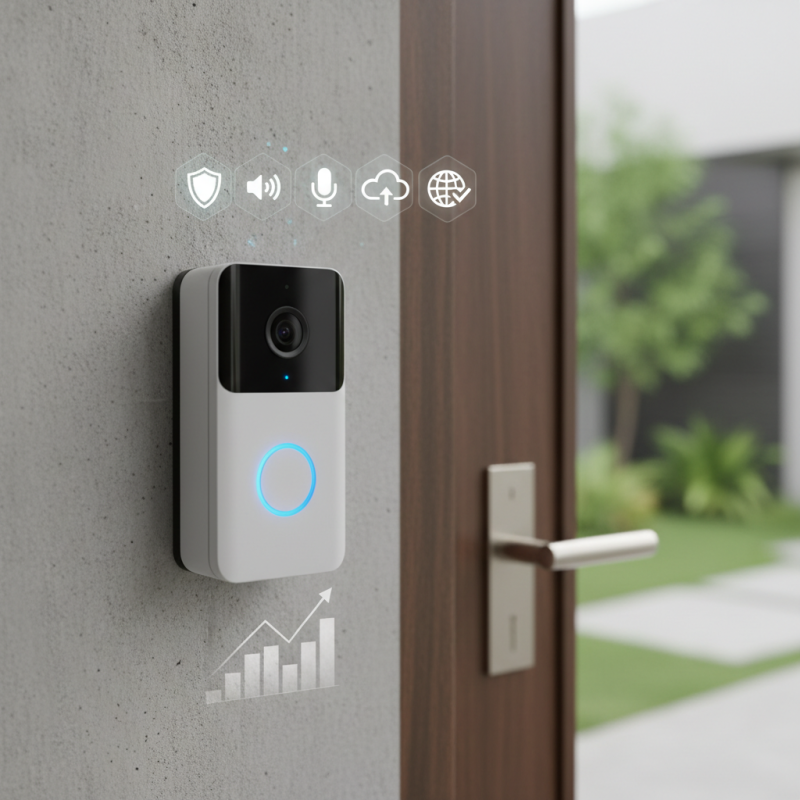
WiFi doorbells have transformed home security. Understanding the technology behind them is crucial for global buyers. These devices feature a camera that connects to your home network. This allows you to see and communicate with visitors remotely. The two-way audio feature is particularly useful. You can speak to delivery drivers or guests without opening the door.
Installation is typically simple, but it can have challenges. Some users struggle with WiFi connectivity. Not every doorbell fits the wiring of traditional doorbells. Options vary from battery-powered models to those that require wiring. Another point to consider is video quality. Higher resolution cameras provide clearer images. Keep in mind that cloud storage plans may involve additional costs.
Consider subscription fees when budgeting for a WiFi doorbell. Features like motion detection can lead to false alerts. However, when set up correctly, these alerts enhance security. The technology is ever-evolving, and software updates can improve functionality. As a global buyer, assessing features like night vision and weather resistance is essential. It's about finding the right balance for your home's needs.
Top 5 Wifi Doorbell Features and Their Popularity Among Global Buyers
Evaluating Video Quality: Resolution and Frame Rates for Optimal Viewing
When considering a wifi doorbell, video quality is vital. Resolution and frame rates significantly influence the clarity of the footage you receive. Higher resolution means more detail. It gives you the ability to identify faces and read license plates. A 1080p resolution is standard for most needs. However, some may desire 4K for enhanced clarity, especially in larger spaces.
Frame rates also matter. A 30 frames per second (fps) rate delivers smooth video, perfect for catching fast movements. By contrast, lower frame rates can result in choppy footage. This can obscure important details. Be mindful of low light situations that may impact performance. Night vision capabilities are essential, as inadequate lighting can degrade quality.
Consider the environment where the doorbell is installed. Weather conditions can affect video quality. Rain or fog can distort images, making even high-resolution recordings less useful. Reflect on the benefits of having good video quality against potential imperfections. Not every situation will be ideal, even with the best tech available. Understanding these factors ensures you make an educated choice, balancing features with your needs.
Connectivity Matters: Wifi Range and Signal Strength Considerations
When choosing a Wi-Fi doorbell, understanding connectivity is crucial. Wifi range affects where you can place your doorbell. A weak signal can lead to delays in notifications or video feed interruptions. Consider the layout of your property. Thick walls and large distances can obstruct signals, making some areas less suitable for installation.
Signal strength should also be evaluated. A doorbell with a strong signal delivers faster and more reliable performance. You might want to check the signal in your desired installation spot before purchasing. Tools like Wi-Fi analyzers help assess your home's coverage. Investing time in this step can save you frustration later.
Sometimes, even after installation, there can be connectivity issues. Make sure to check your router settings. Channel interference can also hinder performance. If your doorbell struggles, try repositioning your router for optimal coverage. These proactive steps ensure a seamless experience, keeping you connected when it matters most.
Power Supply Options: Battery vs. Wired Wifi Doorbells Efficiency
Choosing the right power supply for your WiFi doorbell can significantly impact its efficiency and performance. Both battery and wired options have their pros and cons, appealing to different types of consumers. Some may find battery-operated doorbells easy to install and maintain, while others might prioritize the reliability of wired systems.
Battery-powered doorbells offer convenience. You can place them anywhere, without worrying about wires. However, they often require regular battery changes. This frequent task can be overlooked, leading to dead batteries when you need your doorbell most. It is essential to monitor the battery status frequently. If not, it could leave you unprepared, missing important visitors or deliveries.
On the other hand, wired WiFi doorbells provide a consistent power supply. This means no interruptions or battery changes. However, installation can be challenging. You might need professional help. It's crucial to assess your skill level before diving into a wired setup. This choice often comes down to your comfort with technology and installation processes. Building awareness about your needs can guide your decision effectively.
Top 5 Wifi Doorbell Tips for Global Buyers Today | Tip | Battery Doorbells | Wired Doorbells | Efficiency |
| 1. Installation | Easier, no wiring required | Requires electrical knowledge for wiring | Less flexible location |
| 2. Power Supply | Depends on battery life | Constant power from home electrical system | More reliable, less downtime |
| 3. Maintenance | Batteries need periodic replacement | Minimal once installed | Lower long-term maintenance |
| 4. Cost | Generally lower initial cost | Higher initial cost due to installation | Potential long-term savings |
| 5. User Convenience | Can be relocated easily | Fixed location once installed | Limited to existing wiring |
Privacy and Security: Best Practices for Protecting Your Wifi Doorbell
When installing a Wi-Fi doorbell, privacy and security should be paramount. A study from the Identity Theft Resource Center indicates that 1 in 3 consumers have experienced online fraud. Thus, securing your device is crucial. Start by changing the default password. Many users overlook this simple step. A strong, unique password can prevent unauthorized access.
Regularly updating the firmware is essential. According to cybersecurity experts, over 80% of attacks exploit known vulnerabilities. Ensure your doorbell's software is up to date. Employing two-factor authentication adds an extra layer of security. Without it, your device is more vulnerable to breaches.
Consider where you install the doorbell. Position it to limit exposure to public Wi-Fi networks, which can be insecure. Use a secure home Wi-Fi connection. Research shows unsecured networks increase the risk of hacking by up to 70%. Awareness and proactive measures make a significant difference in protecting your privacy when using smart devices. Each step taken matters in safeguarding your home.