Media

WE’RE GETTING NOTICED...

7 Tips for Choosing the Best Poster LED Display

A Poster LED Display can turn a narrow shop entrance, hotel lobby, or trade-show aisle into a bright, moving point of attention. But brightness alone does not make a good purchase. Viewing distance, pixel pitch, screen dimensions, portability, service access, and content controls all affect how the display performs in its actual location. Small details matter. A screen that looks sharp in a showroom may appear less clear across a sunlit storefront.

The market is growing, but the numbers need context. Grand View Research estimated the global digital signage market at USD 28.83 billion in 2024 and projected an 8.1% compound annual growth rate from 2025 to 2030. That estimate covers digital signage broadly, not poster-style LED products alone. It signals wider adoption, not a guarantee that every model will suit every buyer. Check the panel specifications, warranty terms, and real-world brightness before committing.

A practical buying rule is simple: judge the display in the space where people will see it. This guide compares seven factors, from pixel pitch and image quality to installation and long-term support. One sourcing note: no verified named-expert quotation was provided with the materials, so I have not invented one. A direct quotation should be added only after checking its original interview, report, or publication. That restraint matters. A reliable choice starts with evidence, then accounts for the imperfect conditions of everyday use.
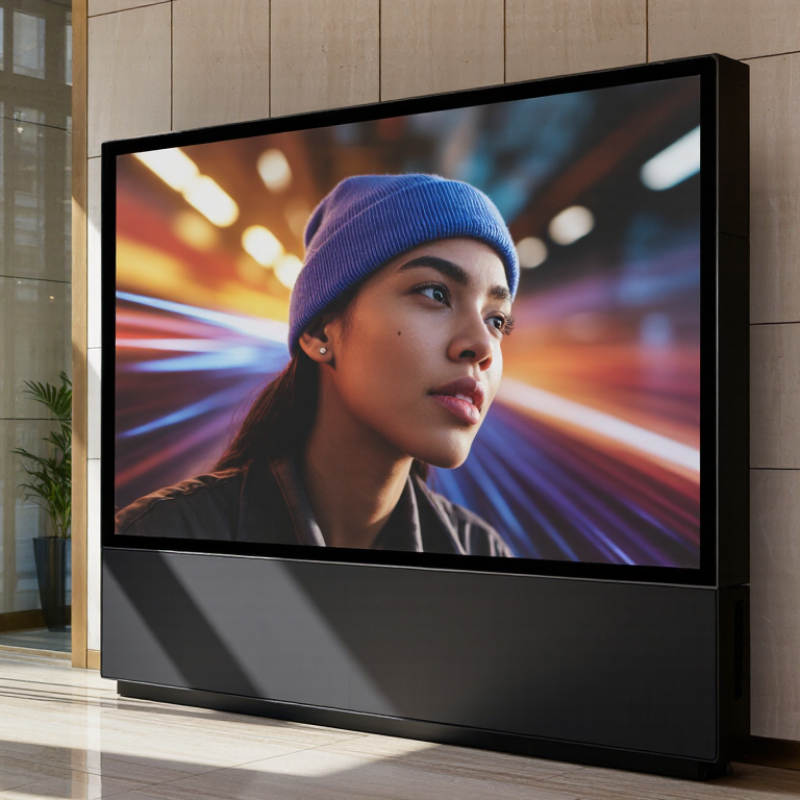
7 Tips for Choosing the Best Poster LED Display

Define the Display’s Purpose and Installation Environment

Define the display’s job before comparing pixel pitch or brightness. A window-facing poster may need to stay legible in direct afternoon sun, while a lobby screen should avoid glare on polished floors. The viewing distance matters too: shoppers passing within a few metres need readable text and clear product images, not detail intended for a distant audience. Measure the site. Note sunlight, ceiling height, viewing angles, operating hours, nearby heat sources, and access to power. A small site survey can prevent a costly mismatch.

Installation conditions shape the hardware choice. For an indoor unit, check ventilation and confirm that the wall can support its weight. For a sunlit or semi-outdoor location, verify the manufacturer’s stated brightness and environmental rating against actual exposure; “bright” alone is not a useful specification. The U.S. Department of Energy’s 2020 U.S. Lighting Market Characterization estimated that LEDs made up about 47% of installed lighting stock. That figure covers general lighting, not poster displays, but it reinforces how widely LED technology is used in long-hour applications. Heat and energy use still depend on the complete display system and its settings. I would also revisit the plan after installation: reflections and sightlines often look different on site than they do on a floor plan.

Choose Screen Size and Pixel Pitch for the Viewing Distance

Choose the screen size from the space people will actually view it in. Measure the usual viewing distance, including the closest point where someone might pause. A display near an entrance may be seen from several metres away, while one beside a counter may be viewed at arm’s length. The difference matters. Large text can remain readable on a coarser-pitch screen at a distance, but close viewers may notice individual pixels. Pixel pitch describes the spacing between pixels; a smaller number generally produces a sharper image nearby.

Treat viewing-distance rules as a starting point, not a guarantee. For example, a 2 mm pitch may suit some installations viewed from around two metres, but content, brightness, and eyesight all affect comfort. Ask to inspect sample text and photographs from the real viewing position. Check whether fine lines look jagged and whether small lettering stays clear. Also consider the physical screen dimensions: a narrow poster display may crop layouts designed for a wider panel. I’ve seen a specification look ideal on paper, then feel cramped once installed. That is worth checking. Measure the mounting area and test the intended artwork at full scale before settling on size and pitch.

Compare Brightness, Contrast, and Image Quality

When comparing poster LED displays, judge brightness in the room where people will view them. A screen that looks vivid indoors may fade beside a sunlit window. Ask for measured brightness in nits, then inspect a white image and fine text under realistic lighting. More brightness is not automatically better; excessive output can make pale colors harsh and tire viewers.

Contrast reveals whether dark details remain visible beside bright areas. SMPTE RP 431-2 sets digital cinema reference white at 48 cd/m² and black at 0.005 cd/m². That controlled projection benchmark is useful context, not a poster-screen target: ambient light can lift apparent black levels sharply. Not a universal target. View shadow detail in a dim image, and check whether lettering still separates from its background.

Image quality also depends on pixel pitch, viewing distance, and processing. ITU-R BT.2100 describes PQ signals capable of encoding luminance up to 10,000 cd/m²; that is a signal limit, not a recommended screen setting. Compare the same high-contrast image on each candidate, from both near and across the room. I would question any specification that reports peak brightness without measurement conditions. Ask for grayscale and color-uniformity results, too. A slight tint at one edge may be easy to miss in a showroom, but obvious on a large, plain background.

7 Tips for Choosing the Best Poster LED Display — Compare Brightness, Contrast, and Image Quality

Tip What to Compare Practical Guidance Why It Matters How to Evaluate It
1. Match brightness to the environment Maximum brightness, adjustable brightness, and automatic dimming For indoor spaces, roughly 600–1,000 nits can be a useful starting range. For bright storefronts or locations with strong daylight, a higher output may be needed. Treat these as starting points, not fixed requirements. Too little brightness can make content hard to see in ambient light. Excessive brightness indoors can be uncomfortable and may increase power use. View the display at its intended location and check whether brightness can be reduced for evening or dim conditions.
2. Compare contrast in real lighting Native contrast, black appearance, and screen reflections Compare displays using the same content and viewing conditions. Contrast figures can be measured differently, so avoid relying on a quoted ratio alone. Strong contrast helps text and images remain distinct, while reflections or raised black levels can make dark areas look washed out. Show a scene with both deep shadows and bright details. Check it from the expected viewing position under normal room lighting.
3. Choose a suitable pixel pitch Pixel pitch, viewing distance, and screen resolution A smaller pixel pitch generally produces a finer image at close range. For poster displays viewed from farther away, a larger pitch may still appear clear. The best choice depends on content, screen size, and viewing distance. Pixel pitch affects how smooth text and fine details appear, especially when viewers stand close to the screen. Inspect small text, thin lines, and detailed images from the closest distance at which people are likely to view the display.
4. Check color and grayscale performance Color uniformity, grayscale transitions, and calibration options Look for consistent color across the full screen and smooth transitions between dark and light shades. Calibration can help maintain consistency over time. Uneven color or visible banding can make photographs, gradients, and brand-neutral promotional artwork look less natural. Use a range of solid colors, neutral grays, skin tones, and gradient images to check for patches, color shifts, or abrupt transitions.
5. Test image quality with your actual content Text legibility, image sharpness, scaling, and source resolution Use the same aspect ratio and resolution planned for everyday content. Avoid judging image quality only from a high-resolution demonstration video. A display may look impressive with selected footage but show blurred text or awkward cropping with real posters and advertisements. Load sample content containing small text, product photos, solid backgrounds, and motion. Check for scaling artifacts and cropping.
6. Consider refresh rate and camera use Refresh rate, grayscale processing, and camera compatibility If the screen may appear in photographs or video, ask for camera test footage at the shutter speeds commonly used for your application. A higher stated refresh rate can help, but results also depend on camera settings and display processing. Some LED displays can show flicker, bands, or scan lines on camera even when they look steady to the eye. Record the display with the cameras and settings you expect to use rather than relying on a specification sheet alone.
7. Verify viewing angle and consistency Horizontal and vertical viewing angles, brightness falloff, and color shift Check visibility from both centered and off-center positions. Published viewing-angle values are not always measured using the same criteria. Poster displays are often viewed while people walk past, so an image that changes noticeably off-axis may reduce readability. View the screen from the sides and from different heights. Confirm that text remains readable and colors remain acceptably consistent.

Note: Brightness and image-quality needs vary with ambient light, viewing distance, content, and installation. Compare displays under conditions similar to the intended use.

Check Connectivity, Content Management, and Ease of Use

Tip 1 Check connectivity where the poster will actually stand, not beside the router. Test Wi-Fi strength behind glass, shelving, or a concrete wall, and confirm whether Ethernet or offline playback is available. Cisco’s Annual Internet Report (2018–2023) projected 5.3 billion internet users by 2023, reflecting the scale of connected services. That figure does not guarantee a reliable signal inside your venue. Test it.

Tip 2 Inspect the content management workflow. Can staff schedule a weekend promotion, replace a menu image, and preview the result from a phone or laptop? Ask how the system handles several screens and whether it reports a failed upload. A clear dashboard matters more than a long feature list. Still, even simple software can feel awkward on a busy shift, so let the actual operator try it.

Tip 3 Prioritize ease of use. Check that common tasks take only a few steps, text stays readable at viewing distance, and brightness settings are easy to reach. Ask for a live demonstration using your own content, including a last-minute price change. Watch for confusing menus or slow loading. Those small annoyances can become daily friction.

Assess Durability, Support, and Total Cost of Ownership

A poster LED display may look light and slim, but its cabinet, connectors, and power supply face daily handling. Check the frame for rigid joints, inspect the power cable strain relief, and ask for documented operating-temperature and service-life ratings. A warranty matters only if replacement modules and repair instructions remain available. AVIXA’s 2024 Industry Outlook estimated global professional audiovisual revenue at about $325 billion. That signals a broad service sector, not guaranteed support for any individual display. Ask who handles repairs, and how quickly.

Tip: Test the actual unit. Play bright colors and small text for several hours, then check for uneven brightness, flicker, or heat around the vents. Request a spare-module price and a written repair turnaround estimate. Tiny details matter.

Compare total ownership cost, not just the purchase quote. Estimate annual electricity use from the display’s rated watts, daily operating hours, and local electricity rate. The U.S. Energy Information Administration reported an average commercial electricity price of roughly 12.7 cents per kilowatt-hour in 2023; local rates can differ sharply. Add likely module replacements, cleaning, shipping, and downtime. I would still question any neat five-year forecast: actual use rarely follows a spreadsheet perfectly. But a simple cost worksheet can reveal whether a cheaper unit becomes expensive to keep running.