Media

WE’RE GETTING NOTICED...

How to Choose the Best 4x6 Direct Thermal Labels

Choosing the right 4x6 Direct Thermal Labels can affect more than the appearance of a shipping label. It can determine whether barcodes scan reliably, adhesive stays in place, and packing work keeps moving. A label that curls or smears may slow a busy dispatch station. Small details matter. This guide examines practical factors, including printer compatibility, adhesive strength, roll specifications, and surface quality. Direct thermal printing uses heat-sensitive material, so it does not require an ink ribbon. Yet heat, sunlight, and friction can shorten a label’s useful life. The right choice depends on where packages travel and how long their information must remain readable.

Before ordering, check your printer’s supported label width, core size, roll diameter, and sensing method. These details are easy to overlook. They can also cause feed problems or misaligned printing. Consider the package surface, too: corrugated cartons, plastic mailers, and cold storage conditions may call for different adhesives. A sample roll can reveal issues that a product description cannot, such as faint print, uneven gaps, or edges that lift during handling. It is tempting to treat every roll as interchangeable, but that assumption deserves a second look. Compare supplier specifications and test labels under your actual workflow before buying in bulk. No single label is best for every business. A careful choice can reduce reprints, improve scan consistency, and make everyday shipping less frustrating.
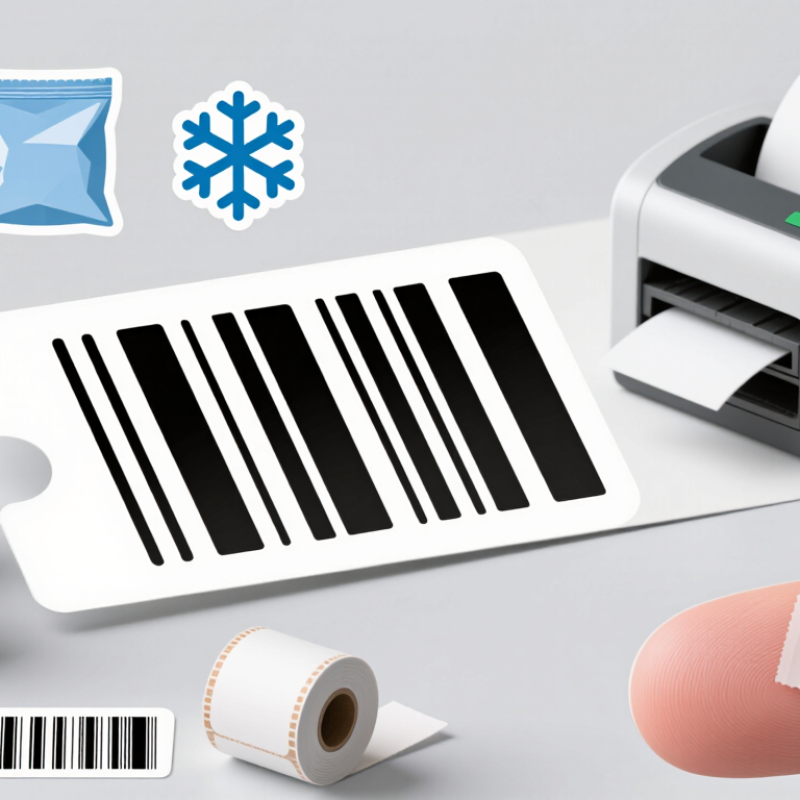
How to Choose the Best 4x6 Direct Thermal Labels

Understanding 4x6 Direct Thermal Labels and Their Uses

How to Choose the Best 4x6 Direct Thermal Labels

Understanding 4x6 Direct Thermal Labels and Their Uses

A 4x6 direct thermal label is a common format for shipping addresses, tracking barcodes, and warehouse identification. Its heat-sensitive surface darkens when it passes through a compatible printer. No ink or ribbon is needed. That keeps routine printing simple, though labels can fade with prolonged heat, sunlight, or rubbing. A barcode that looks clear today may not stay that way in a hot delivery area.

Before choosing a roll, check that your printer supports direct thermal media and accepts its width and roll size. Also confirm the sensing style, such as a gap between labels or a black mark. Adhesive matters, too: a smooth carton, a cold parcel, and a dusty tote can hold labels very differently. It is easy to assume all 4x6 rolls perform alike. They do not always, and the package surface can be the weak link.

Tips: Print a small test batch. Scan a few barcodes, then press labels onto the surfaces you actually use. Check that edges stay flat and text remains readable after handling. If labels will face heat or sunlight, test them under those conditions before ordering a large supply.

Checking Printer Compatibility and Label Specifications

Start with the printer, not the label listing. Confirm it uses direct thermal printing; thermal-transfer models require ribbon, while direct thermal labels react to heat. Then check the printer’s supported media width, roll diameter, core size, and feed path. A 4x6 label can still jam if its roll is too wide or the holder cannot fit its core. Small details matter. Specs do not always capture a worn holder or awkward loading angle.

Check how the printer detects each label. Some units rely on gaps between labels; others need a black mark or a continuous-media setting. Match the label’s sensor pattern to the printer’s calibration options, then print a test page. Inspect alignment at the edges, barcode clarity, and whether text stays inside the printable area. Resolution and print speed also affect fine lines and small codes, so verify the printer’s limits before ordering.

Label specifications matter beyond dimensions. Choose a face material and adhesive suited to the surface, handling, and storage temperature. Direct thermal images can fade with heat, sunlight, or friction, so they may not suit every long-term record. Check perforations, liner stiffness, and whether labels arrive on rolls or fanfold stacks. It is easy to focus on price and miss these details. Test before stocking up.

Comparing Adhesives, Materials, and Print Performance

A 4x6 direct thermal label must stay attached and remain readable throughout its journey. Permanent adhesive usually grips clean, dry corrugated cartons well, but dusty cardboard or cold surfaces can reduce tack. Removable adhesive suits temporary identification, though it may lift during rough handling. Check both the application temperature and the temperature the parcel will face later. They are not always the same.

Small details matter. Paper labels are economical and work well for ordinary shipping, but moisture and abrasion can mark their surface. Synthetic facestock handles damp conditions better, although it may cost more and still needs a compatible thermal coating. Rub a sample against a carton edge, then check whether the corners curl. It is a simple test, not a complete guarantee.

Print performance depends on the label coating, printer settings, and printhead condition. A clear barcode should have dark, even bars without smearing or faint gaps. If labels feed quickly, test at the actual print speed; a setting that looks sharp on one label may blur across a longer run. Heat and direct sunlight can also darken thermal stock over time. Test before scaling. I would not assume one label suits every box, even when the dimensions match.

Evaluating Roll and Fan-Fold Label Formats

Choosing 4x6 direct thermal labels means matching the supply format to the printer and the work rhythm. Roll labels suit printers with compatible holders and core sizes; they can keep a compact workstation tidy. Fan-fold labels arrive as a stack, often placed behind or beside the printer, so there is no roll to unwind or replace. Small detail, big impact. Check the printer’s supported media path and maximum stack or roll capacity before ordering. A label that fits the package may still feed poorly.

Workload matters. The U.S. Census Bureau estimated 2024 retail e-commerce sales at $1.19 trillion, or 16.1% of total retail sales. That volume points to varied packing demands, not one best format. Rolls may reduce replenishment interruptions at a steady, high-output station. Fan-fold stock can be easier to store and swap when several printers share supplies, though the stack needs clear space and careful alignment. Test before scaling. Run a short batch, checking for skew, jams, and clean 4x6 peeling. I would not choose by price per label alone; wasted labels and operator time can erase a small unit-cost saving. One caveat: printer setup and daily volume change the answer, so verify both in the actual packing area.

Selecting and Testing Labels for Your Shipping Needs

Choosing 4x6 direct thermal labels starts with your printer, not the product photo. Check the supported width, loading style, core size, and sensor position. A label can measure exactly 4 by 6 inches yet feed poorly if its backing or gap differs from your settings. Test the adhesive on the surfaces you ship most, such as corrugated cardboard or poly mailers. Direct thermal labels need no ribbon, but heat, sunlight, and friction can fade printed details. Keep a sample near your packing area and inspect it after several days.

Test a small batch before ordering in volume. Print a shipping barcode and fine text, then scan them at close range and from arm’s length. Look for pale lines, smudges, curled corners, and jams during consecutive prints. Apply labels to real parcels overnight, then rub an edge and check for lifting. Results can vary with printer heat settings and surface cleanliness, so note both during testing. A quick desk test may miss peeling on chilled parcels. That gap is easy to overlook.

Tips: Store rolls flat and away from windows. Try your usual print speed. If barcodes look uneven, adjust darkness gradually and test again.

How to Choose the Best 4x6 Direct Thermal Labels - Selecting and Testing Labels for Your Shipping Needs
Selection Factor Practical Specification or Test What to Check Best Fit
Label size 4 × 6 in (101.6 × 152.4 mm) Confirm the label’s actual face size and printable area. Printer margins can reduce the usable area slightly. Common shipping-label layouts, provided the printer and carrier workflow support this format.
Print technology Direct thermal stock has a heat-sensitive coating and prints without an ink ribbon. Check that the printer is set to direct thermal mode and that the roll or fanfold stock is loaded in the correct orientation. Shipping labels used for short-term handling and delivery.
Printer resolution At 203 dpi, a 4 × 6 in label corresponds to about 812 × 1,218 dots; at 300 dpi, about 1,200 × 1,800 dots. Print a sample at the printer’s native resolution. Check small text, barcodes, and the full label layout for clipping or excessive darkness. Match the label design and print settings to the printer’s resolution.
Adhesive Choose an adhesive intended for the package surface and expected handling conditions. Apply a label to a clean, dry sample carton. Check the edges after application and again after handling; test on the actual packaging material. Standard cartons with general-purpose adhesive; textured, dusty, cold, or recycled surfaces may need separate testing.
Label format Roll and fanfold packs are both available; roll core and outside diameter vary. Verify the printer’s supported media format, core size, roll capacity, and loading path before ordering. Rolls for compatible roll-fed printers; fanfold packs for printers designed to feed stacked labels.
Media sensing Die-cut labels commonly use a gap between labels; some printers and media also support black-mark sensing. Confirm that the label construction matches the printer’s sensor mode. Run a media calibration if labels advance incorrectly. Labels matched to the printer’s supported sensing method and calibration settings.
Barcode readability Print a representative shipping label using the intended barcode size and print settings. Scan the sample with the scanner used in the workflow. Check for complete bars, clear spaces, and no smudging or missing print. Any shipment where labels must be scanned during sorting, receiving, or delivery.
Image durability Direct thermal images can fade or darken with exposure to heat, light, and friction. Expose sample labels to the handling and storage conditions expected in transit, then inspect text and barcode contrast. Short-term shipping use; choose another label technology if long-term image permanence is required.
Adhesion under handling Use a small trial batch on the intended cartons before switching supplies. Check corners and edges after packing, stacking, and ordinary shipment handling. Record any lifting or detachment. Operations with varied carton coatings, surfaces, or handling conditions.
Overall print test Print several labels at normal speed using the intended printer, software, and shipping layout. Look for consistent feed, correct positioning, clean text, readable barcodes, and reliable label separation. Final qualification before purchasing or using a new label stock at scale.

Testing note: The checks above are practical screening steps, not universal industry pass/fail standards. Verify media compatibility and performance with your specific printer, package surface, and shipping conditions.