How to Choose the Best LCD Display for Your Needs?
The demand for high-quality LCD Displays continues to grow. According to industry reports, the global LCD display market is expected to reach $145 billion by 2026. This significant growth reflects the increasing reliance on screens in everyday life. Businesses, educators, and consumers require displays that not only meet their needs but also enhance their experiences.
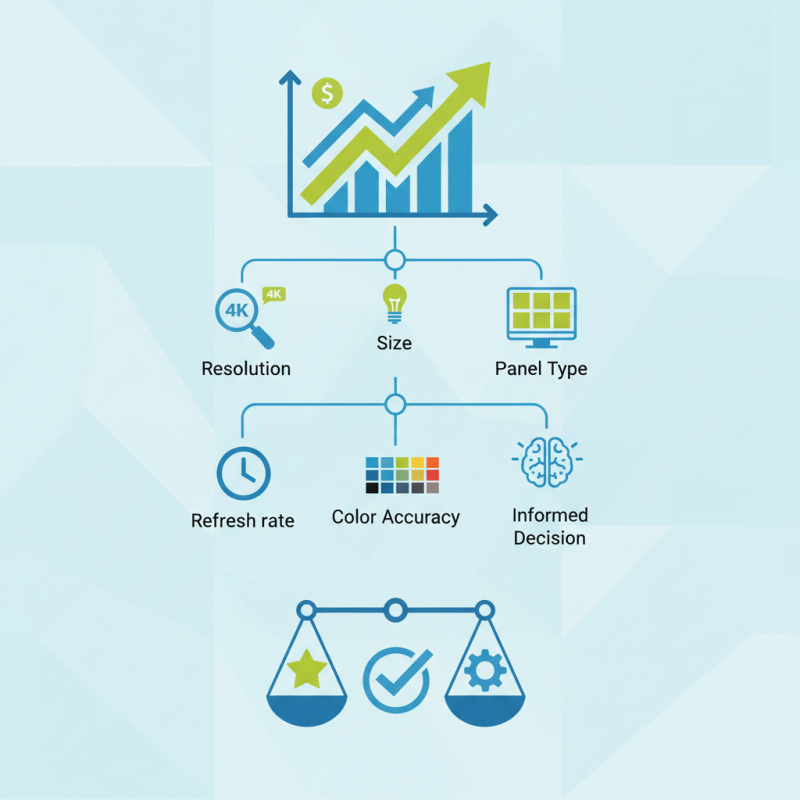
Choosing the best LCD display can be complex. Factors like resolution, size, and panel type play a crucial role. A report by DisplaySearch highlights that 4K displays have surged in popularity, with a notable 40% growth in shipments over the past year. However, not all users need ultra-high resolution. Understanding personal requirements can make a difference.
Many overlook important features such as refresh rate and color accuracy. Investing time to research can lead to a more informed decision. It's essential to assess both current and future needs. While some displays offer extraordinary specifications, they may not be necessary for every user. Balancing desire and practicality is vital when selecting an LCD display.
Understanding Different Types of LCD Displays: TN, IPS, and VA Panels
When selecting an LCD display, it's crucial to understand the differences among TN (Twisted Nematic), IPS (In-Plane Switching), and VA (Vertical Alignment) panels. TN panels are often the most affordable option. They have fast response times, making them suitable for gaming. However, they struggle with color accuracy and viewing angles. If you often view the screen from different positions, TN may not be the best choice for you.
In contrast, IPS panels excel in color reproduction and wider viewing angles. They are ideal for photographers, designers, and anyone who values precise colors. The downside? They typically have slower response times than TN panels. This can be a drawback for fast-paced gaming scenarios.
VA panels sit between TN and IPS in terms of performance. They offer better contrast ratios compared to TN, which enhances deep blacks. However, their color accuracy still lags behind IPS. Each panel type has strengths and weaknesses. Assess your needs to make the best choice.
Evaluating Resolution and Pixel Density for Optimal Visual Clarity
Choosing the right LCD display isn't just about size. Resolution plays a crucial role in visual clarity. Higher resolution means more pixels packed into a screen, which enhances sharpness. A display with a 1920x1080 resolution will provide a clear image for daily use. Yet, it might fall short for tasks requiring fine detail.
Pixel density, measured in pixels per inch (PPI), affects how crisp images appear. A higher PPI generally means better clarity. For instance, a display with 300 PPI offers a much sharper image than one with 100 PPI. However, achieving this level may increase costs, so weigh your needs against your budget.
Those needing precise color work should consider displays with higher resolution and pixel density. Yet, in everyday situations, a standard display may suffice. It's essential to reflect on your specific tasks to find the balance between performance and price. Prioritize clarity to avoid frustration when you're working or enjoying media.
Optimal Resolution and Pixel Density for LCD Displays
Assessing Refresh Rate and Response Time for Gaming and Multimedia Use
When choosing an LCD display, two critical factors are refresh rate and response time, especially for gaming and multimedia use. A higher refresh rate translates to smoother motion on the screen. Displays with 120Hz or more are often preferred for gaming. This higher frequency reduces motion blur. However, not all games can utilize these rates. Some users may not notice the difference.
Response time is just as important. It measures how quickly a pixel can change colors. A low response time, ideally under 5ms, can minimize ghosting effects. This is crucial in fast-paced games or action movies. But achieving fast response times can result in trade-offs, such as color accuracy. Users should consider what matters most—speed or quality of the visuals.
In a gaming setting, both elements work hand-in-hand. A display with a 144Hz refresh rate and a response time of 1ms is excellent. Yet, many may find these specs aren't necessary for casual gaming. Reflect on your usage. Are you watching movies, or are you diving deep into competitive gaming? The best choice often depends on individual needs.
Determining Size and Aspect Ratio Based on Viewing Distance and Use Case
Choosing the right LCD display requires understanding the interplay between size, aspect ratio, and viewing distance. A common guideline suggests that for every inch of screen size, viewers should be seated at least 1.5 to 2.5 times the screen’s height away. For example, a 55-inch display is ideal for distances ranging from 6.5 to 11.5 feet. This distance impacts visual comfort and overall viewing experience.
The aspect ratio also plays a crucial role. The standard 16:9 ratio is popular for both televisions and monitors. However, wider formats like 21:9 are emerging as favorites for cinematic experiences. A study by Display Research indicates that nearly 60% of consumers prefer displays that enhance their viewing comfort. It highlights an increasing trend towards larger screens with improved pixel density. Yet, potential buyers sometimes overlook their room's layout and space constraints.
When considering these factors, it’s essential to reflect personally on your needs. Bigger isn't always better if space is limited. Sometimes, a smaller display positioned at the right distance can deliver an enjoyable experience. Balancing these elements may require trial and error. Understanding how size and aspect ratio work together helps create a more tailored selection process.
Considering Color Accuracy and Brightness Specifications for Your Needs
When choosing an LCD display, color accuracy and brightness are crucial factors. Accurate colors enhance the overall viewing experience. If a display cannot reproduce colors faithfully, it may affect your work. For graphic designers or photographers, this is essential. Look for displays that cover a wide color gamut. This ensures richer and more vibrant images.
Brightness specifications also play a significant role. A display with higher brightness is vital for well-lit environments. If you work in areas with bright light, a screen that can combat glare is needed. Flickering becomes apparent on less bright screens, causing eye strain. A good practice is to check the maximum brightness in nits. This gives clarity about how the display will perform in varying lighting conditions.
Considering these aspects can lead to better choices. However, there can be a compromise between color accuracy and brightness. The best solution often requires testing with your own eyes. A high-priced display may not always meet your expectations, so personal experience matters. You might find that a seemingly perfect screen has flaws after regular use. Reflect on your needs consistently to find the right balance.